purplegreen MDM
Every kiosk, one dashboard
Hosted device management for company-owned Android tablets that run as unattended kiosks, built on Google's Android Management API.
purplegreen MDM is being prepared for its first pilot; access is on request. The service has not entered production yet: everything described on this page is implemented and tested in the development release.
Who it is for
Organisations that run unattended tablets across many locations, with no IT staff on site. Typically one tablet per location, and tens to hundreds of locations.
- Check-in kiosksMembers check themselves in at sports clubs and gyms.
- Digital signageSchedules, menus and notices on a wall or counter.
- Front desksVisitor registration and simple point-of-sale screens.
What it does
Fleet dashboard
One screen shows which tablets need attention and why: offline, not charging, not compliant, an outdated kiosk app, or a profile that is not applied. Counts per site show where to look first.
Dashboard and alerts docs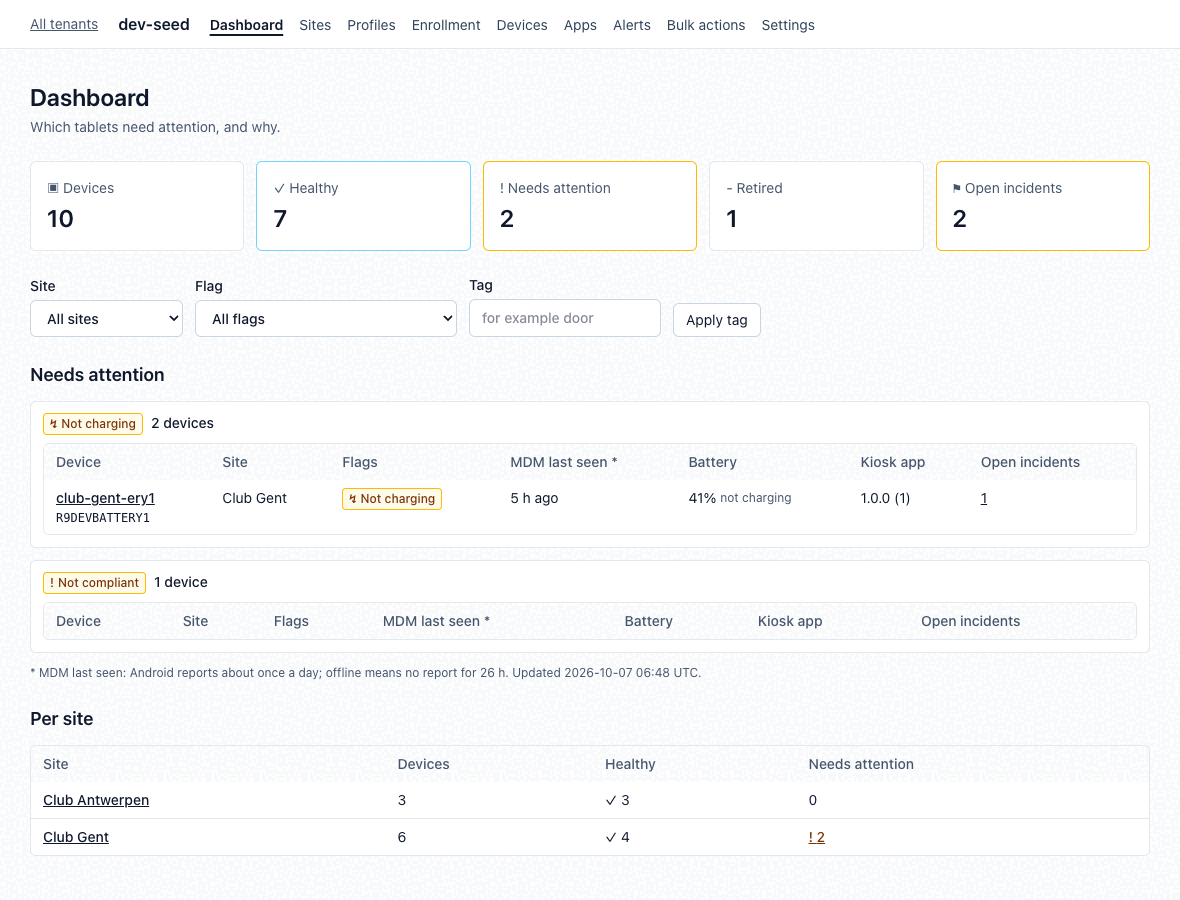
Kiosk profiles
A profile is the kiosk configuration a tablet gets: a single app, a multi-app launcher, or a web kiosk. Profiles compile to Android Enterprise policies. Every save is a new version, so you can compare versions and roll back. Staged rollouts move a new version to chosen sites or tags first, then promote it or roll it back.
Which profile a tablet gets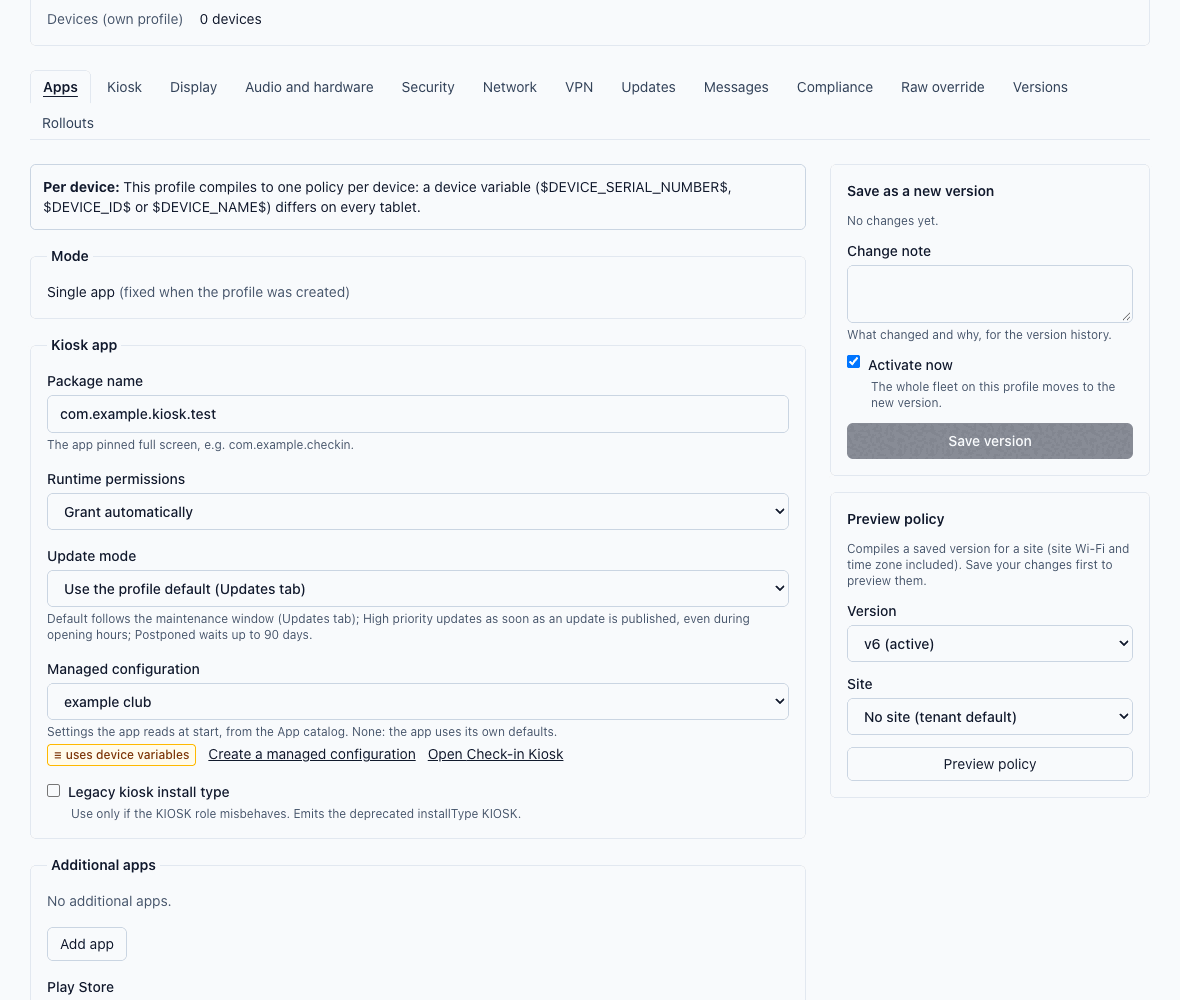
QR enrollment
A factory-reset tablet scans an enrollment QR code and joins its site, with Wi-Fi included when you want it. Printable provisioning sheets guide the person on site, and tablets can be pre-registered by serial number before they arrive.
Enrollment docs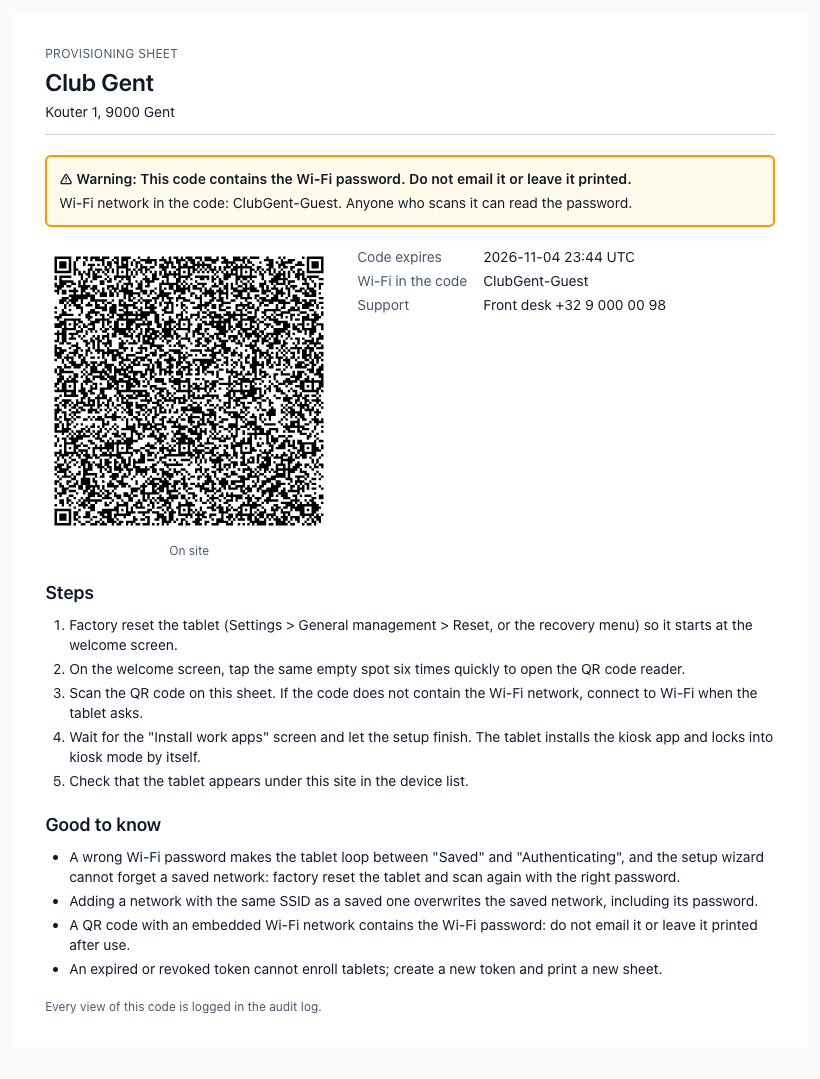
Remote actions
Reboot, lock, clear app data, change profile or move a tablet to another site, one at a time or in bulk. Wiping asks for the intent: "Lost or stolen" keeps factory reset protection, "Release to owner" clears it.
Remote actions docs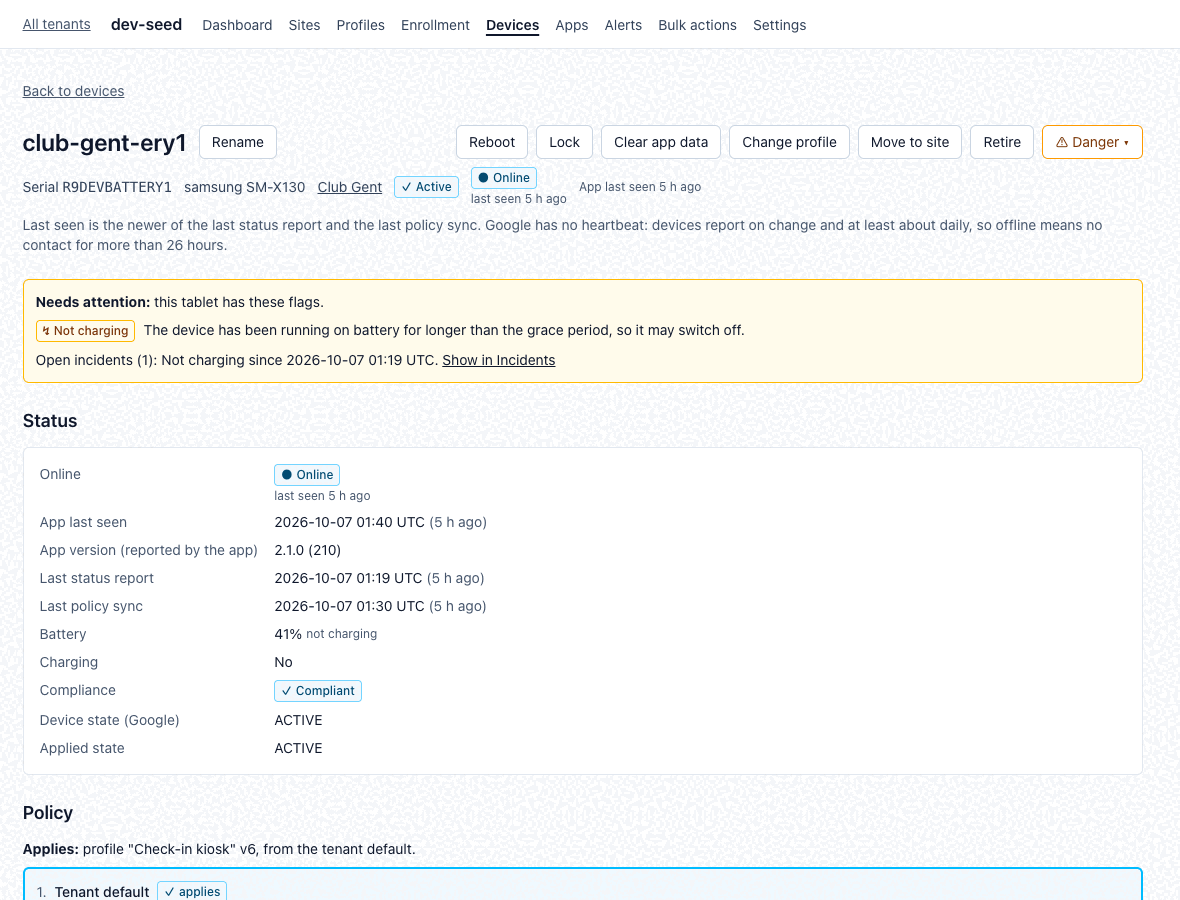
App catalog
Apps from managed Google Play, with managed configurations. Configurations can use per-device variables such as the serial number, so each tablet gets its own values from one profile.
Apps docs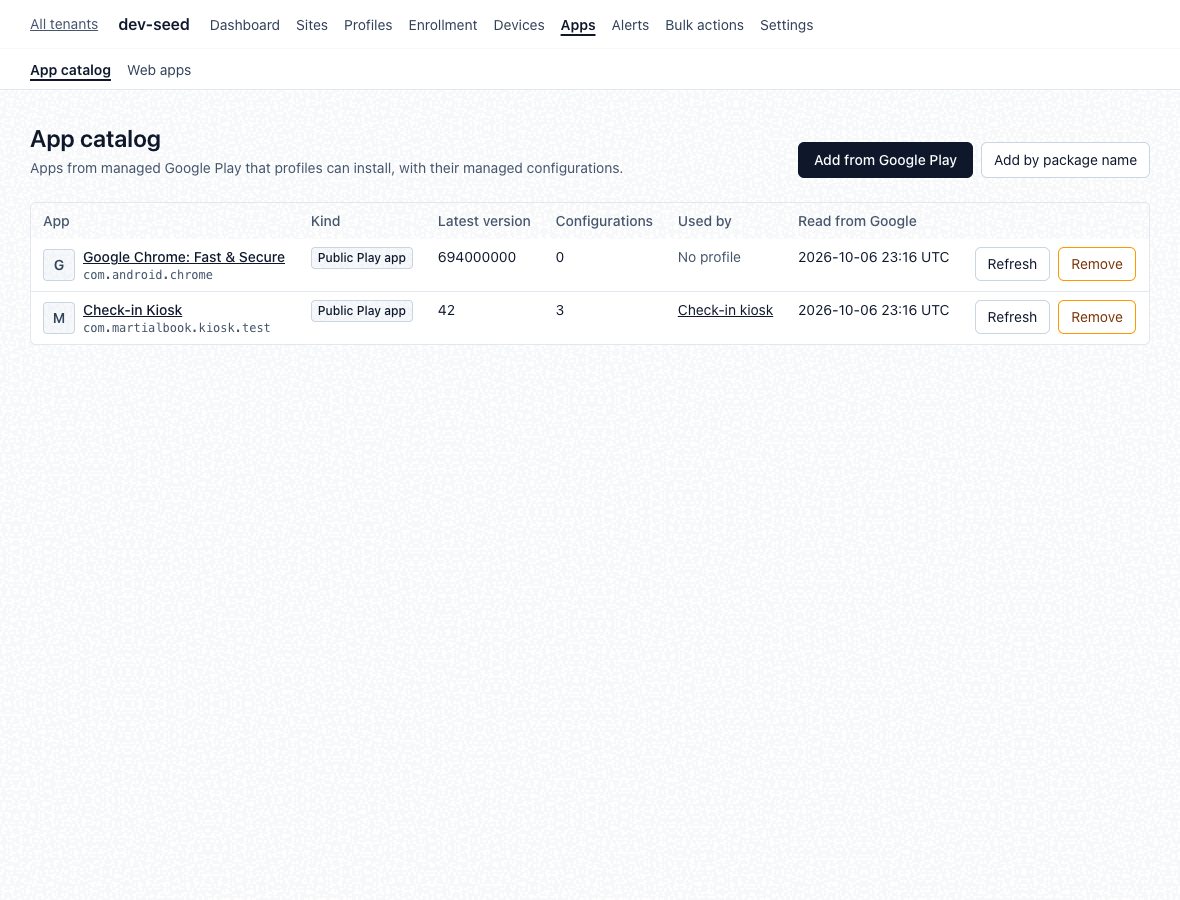
Alerts and incidents
Alert rules open an incident when a condition holds for a tablet and resolve it when it clears. Notifications go by e-mail or to a signed webhook.
Alerts docs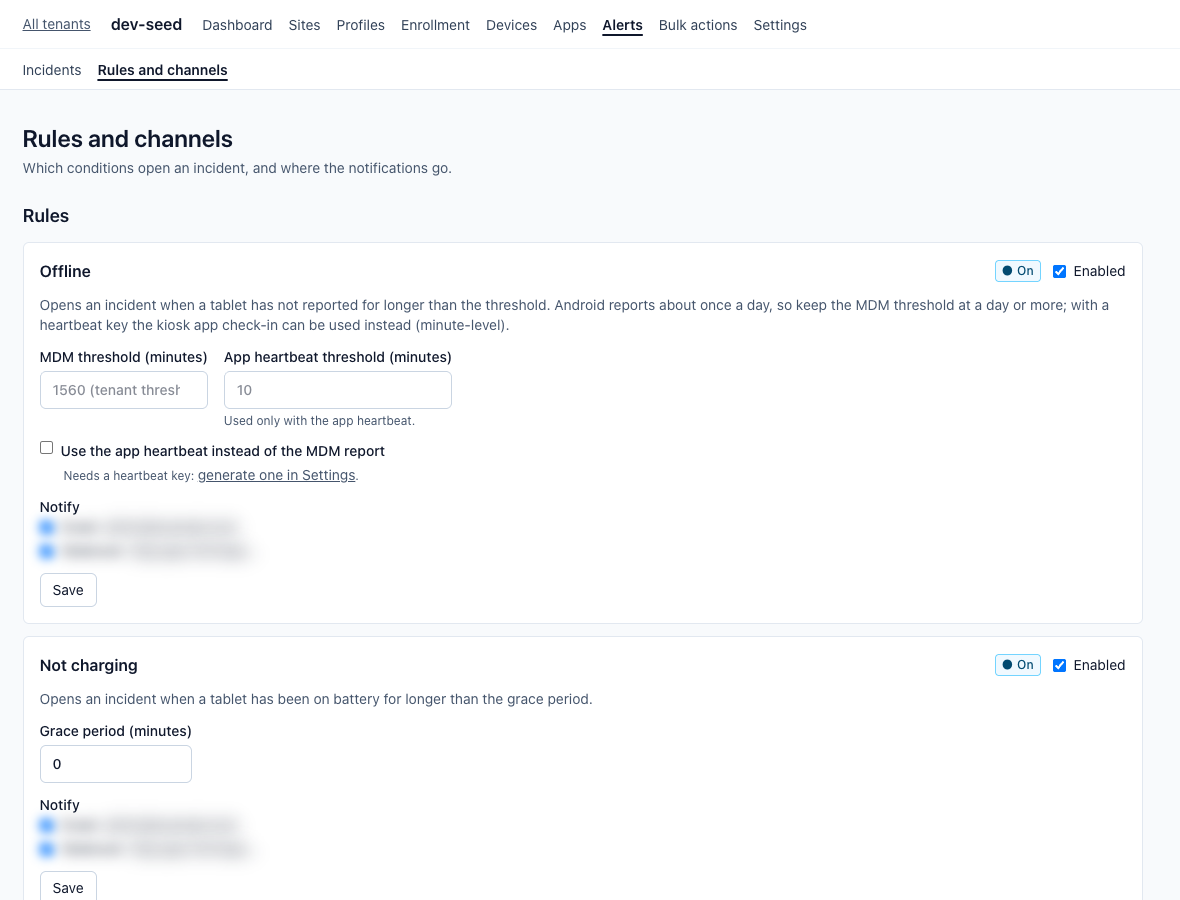
Sites, tags and access
Organise tablets by site and tag, with settings inherited from tenant to site to device. Site managers see and act only on their own sites. Each customer is a separate tenant.
Device list docs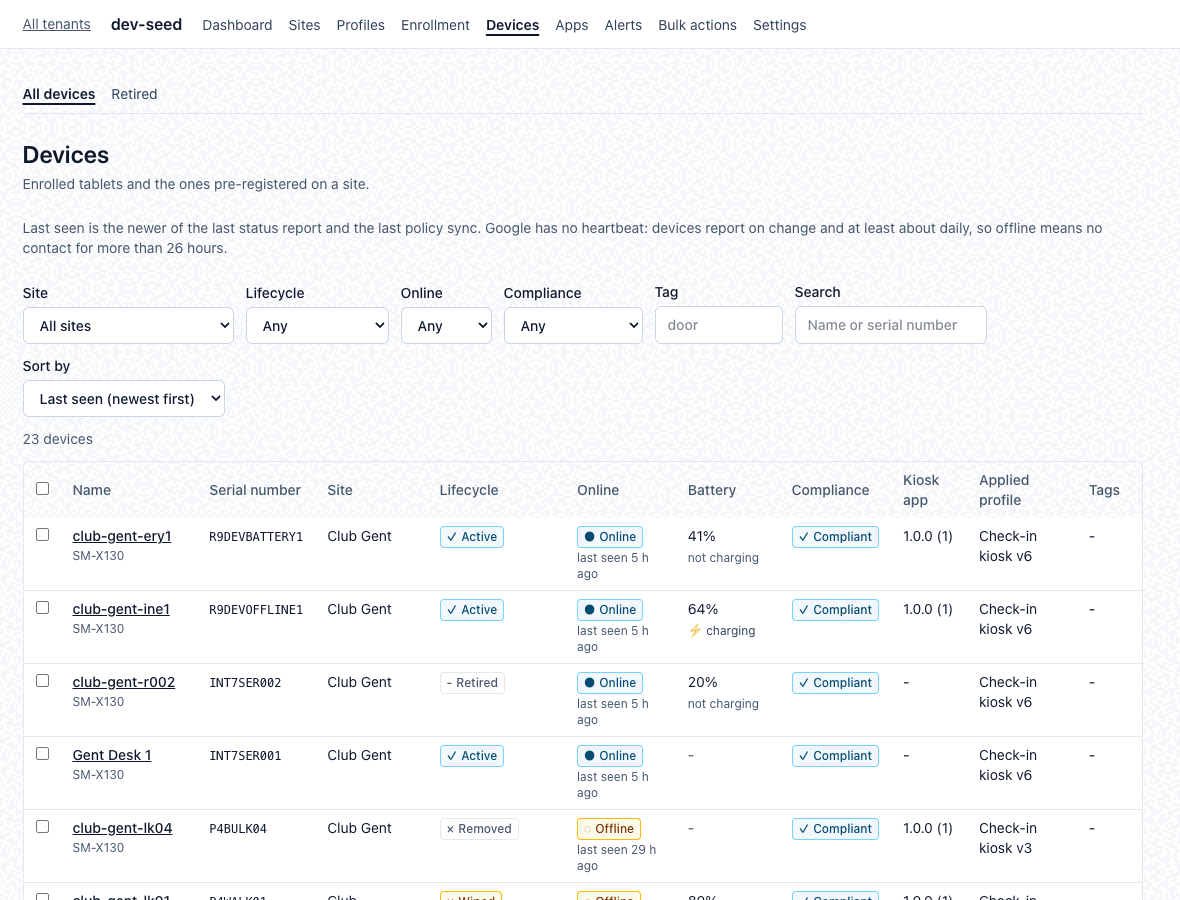
How it works
- Bind your Android EnterpriseYour organisation connects its own Android Enterprise to purplegreen MDM.
- Enroll by QR codeA factory-reset tablet scans the site's QR code and enrolls as a fully managed device.
- Android Device Policy applies itGoogle's Android Device Policy on the tablet applies the profile. There is no custom agent on the device.
Security
Security built in from the start:
- Tenant isolation in the database, with row-level security.
- Secrets encrypted at rest, per tenant.
- Append-only audit log.
- Single sign-on (OIDC) with roles: owner, admin, site manager and read-only.
- Hosting: EU (Hetzner, Germany), behind Cloudflare, planned for the pilot.
The service has not entered production yet; these controls are implemented and tested in the development release.
Documentation
- Enrolling a tabletQR codes, provisioning sheets, known gotchas
- Which profile a tablet getsOwn, site or tenant default
- The device list and timelineWhat each column and event means
- What "offline" meansLast seen, status reports, policy syncs
- Remote actionsWhat each action does and who may run it
- The two wipe choicesLost or stolen, release to owner
- Dashboard, alerts and notificationsFlags, incidents, e-mail and webhooks
- Apps and managed configurationsThe app catalog and per-device variables
- All operator docsWeb kiosks, heartbeat ingest, private apps
Request access
Tell us about your tablets: how many, where, and what they run. Pricing on request.